
Squirrelcart Features
There are so many features built into Squirrelcart that it is difficult to list them all on a single page. If you are looking for a particular feature, and do not see it here, please contact us via email.
Squirrelcart and Squirrelcart Pro have the same standard features; however, Squirrelcart Pro includes extra features provided by Pro modules that are normally sold separately.
Product and Category Features
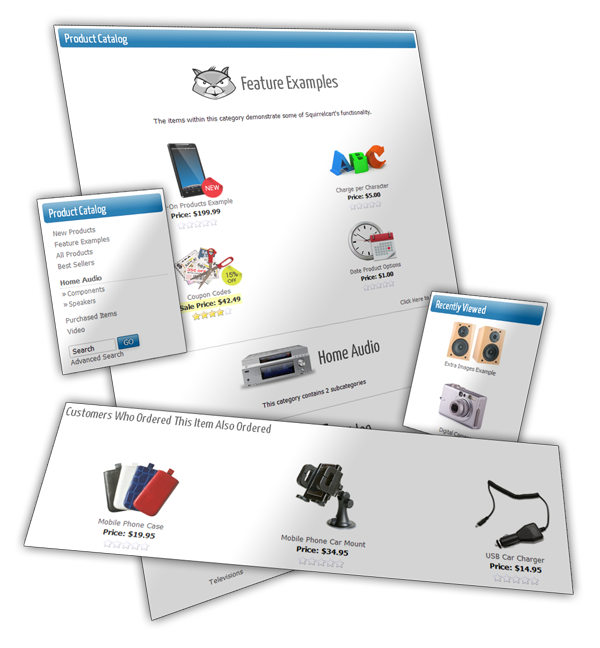
The list below is a very brief summary of our product and category features. You'll find more detailed information in the sections listed throughout this page.
- Unlimited number of products and categories
- Unlimited number of subcategories, nested as many levels deep as you like
- Products can be marked "not for sale", which keeps them in your database, but does not display them in your store.
- Upload images for both products and categories via the control panel
- Advanced Image Features - auto-generate, resize, mirror, flip, rotate, and crop images.
- Support for HTML or plain text in product and category descriptions
- Control product sort order on a store-wide and per category basis
- Control the number of products seen per row and per page, on a store-wide and per category basis.
- Support for adding multiple items to the cart from a single page
- You can set a minimum or maximum quantity for individual products.
- Products can be sold in increments. For example, if you have a product that must be bought in multiples of 6, Squirrelcart can enforce that for you.
- Offer product attachments to help a customer learn about a product, such as spec sheets, instructions, etc...
- Assign data fields to products like ISBN, GTIN13, SKU, Brand, Manufacturer, Part #s, etc...
- Flag your categories as "Brands" or "Manufacturers"
Add-On Modules

Squirrelcart can be extended by installing one or more add-on modules. All modules marked with * are included in Squirrelcart Pro for one discounted price. They can also be added to the regular version of Squirrelcart by purchasing them separately.
Quick Total Module*
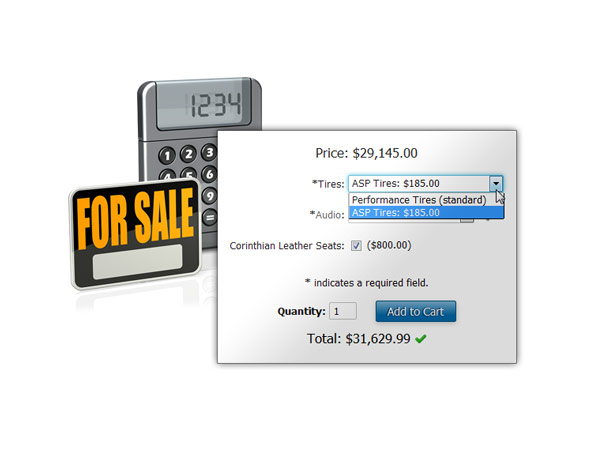
- Instant price totals on your product pages as customer changes options, quantity, etc...Testimonials Module*
- Use positive store feedback to increase salesContact Module*
- Facilitates customer and merchant communication via contact form, vCards, and more...News Module*
- Keep your customers notified via mailings and news posts on your website.Photo Gallery*
- Organize and display photos via Squirrelcart's Photo Gallery module.Reviews Module*
- Lets your customers provide valuable feedback about your products, to help increase sales.Download Module*
- Offer downloads to your customers while securing your files from unauthorized access.
* = included in Squirrelcart Pro
Automatic Categories
Automatic categories are special categories that display products without you having to add them to the category.
- New Products - This category displays products considered new, using a setting equal to the number of days you specify.
- Best Sellers - This category displays products that sell well, in order of popularity
- All Products - This category shows every item in your store
- Purchased Items - This category displays all the items that your customer has ever purchased, for fast re-ordering.
Access Restrictions
Control when and if customers have access to your store, categories, and products. You can also control what happens when they do not have access.
This feature is great for sites that need to sell via wholesale, or for any other stores that require restrictions.
- Feature to require login in order to access the store
- Restrict access to categories and products via group membership
- For restricted products, you can either hide them, show them with no pricing, or show them with pricing but without access to purchase.
Social Sign-In
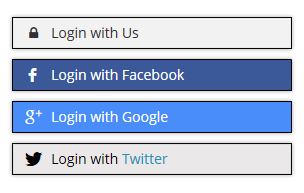
Customers have accounts all over the web. Facebook, Twitter, Google, etc...
With our new social sign-in feature your customers can login using accounts they already have.
They'll have one less username and password to remember, and will be able to login faster than ever, increasing the chance that they may order.
Click Here for a Live DemoProduct Options
Product Options allow your customers to make choices when adding items to their cart.
You don't need to know HTML in order to add form fields for gathering information from your customers, so they can choose options for products they wish to order.
Squirrelcart will automatically generate the HTML needed for you, to show options using any standard HTML form field type, including: select, checkbox input, radio input, text input, textarea, and file input fields.
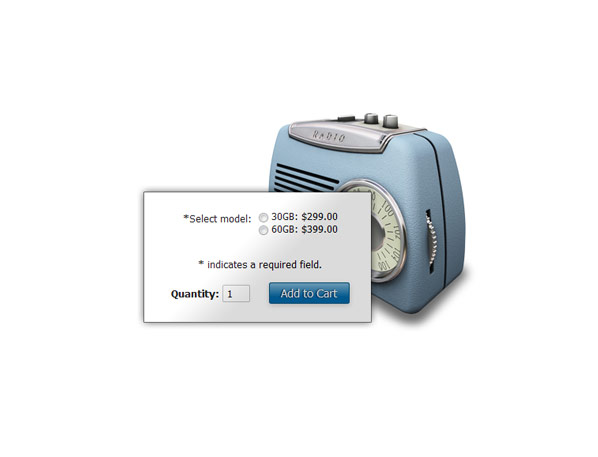
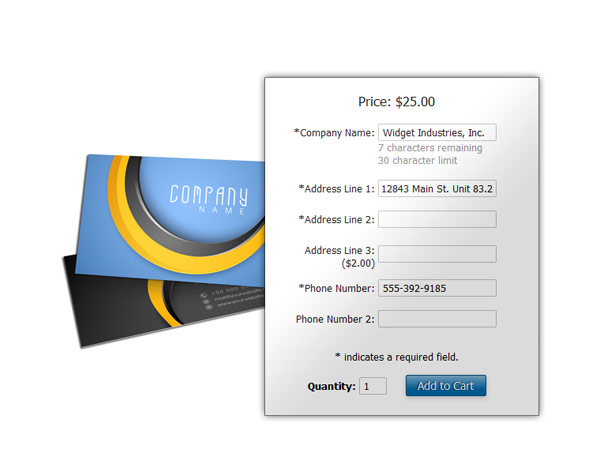
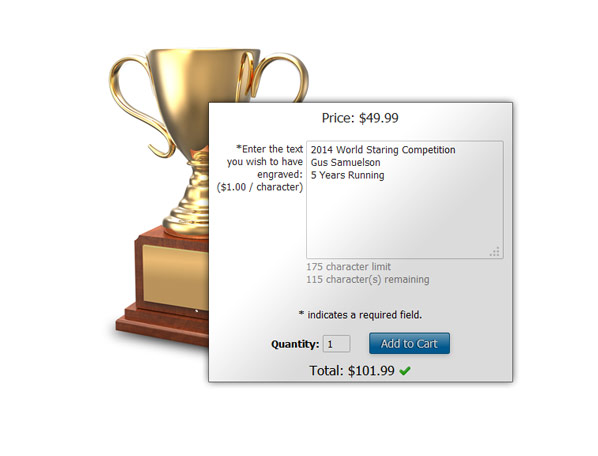
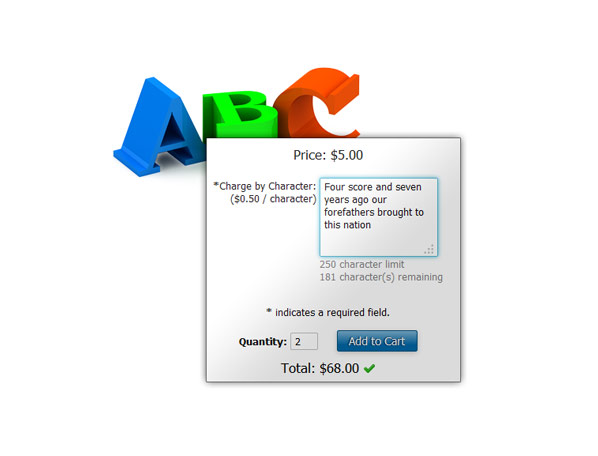
-
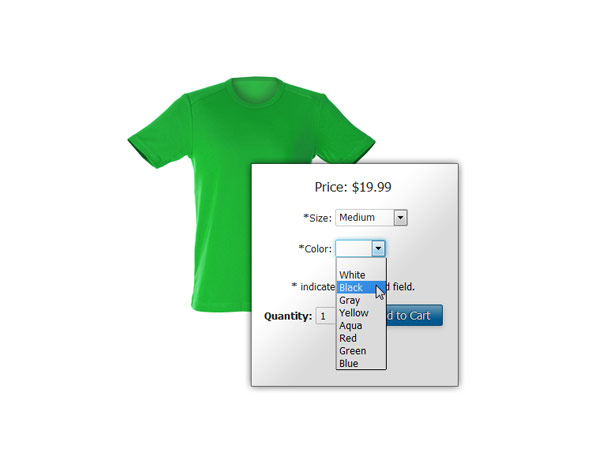
Select options
appear as dropdown fields showing a list of choices, like "size" or "color". Click for a live example -
Checkbox options
can be used when the answer to a question only has one of two possible choices, like "yes" or "no". Click for a live example -
Radio button options
can be used when you want a customer to choose only one option, from 2 or more choices. Click for a live example -
Text options
can be used to gather a single line of text from your customer. You can optionally set a maximum and minimum number of characters allowed, and Squirrelcart will show the character count to your customers as they type!
You can assign a price for text options, which can be for the entire option or per character. You also have the option of specifying whether or not to charge for spaces. Click for a live example -
Textarea options
can be used to gather one or more lines of text from your customer. They work just like text options, but appear as larger boxes that accept line breaks. Click for a live example -
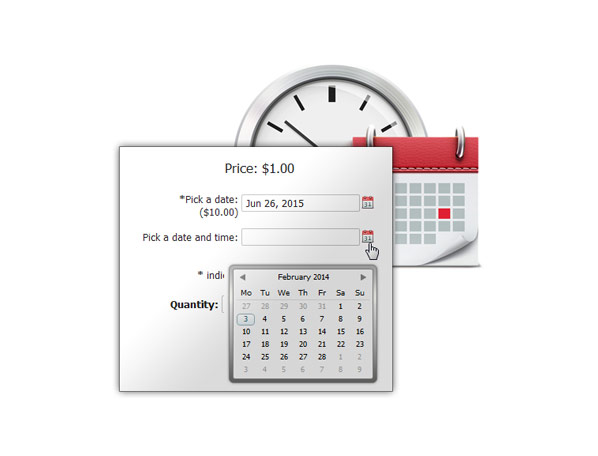
Date & time options
can be used to gather a date, or a date and a time. They include a button to open a popup calendar for easy date selection. Customers can also type a date if they prefer, in just about any format and it will be recognized as a valid date. Click for a live example -
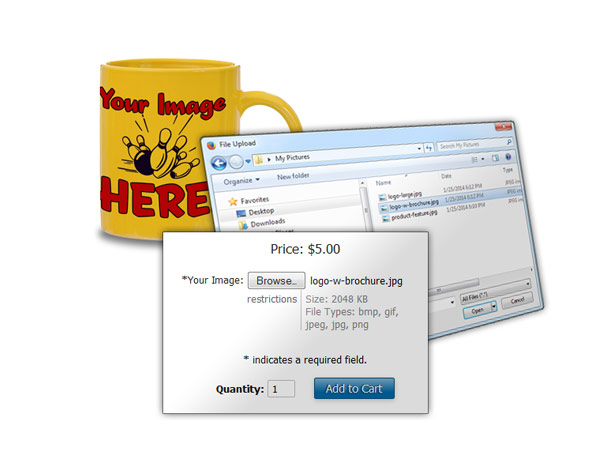
File upload options
can be used to gather images or other files from your customers. You can specify what types of images you accept, and set maximum sizes. Click for a live example -
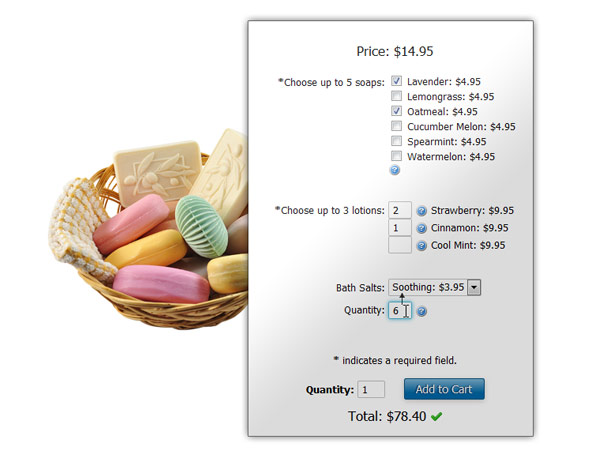
Multiple select options
- You can turn any select option into a multiple select option. This lets the customer choose one or more choices from a list. In addition, you can let them select the option choices using a checkbox (which equals a quantity of 1), or a quantity field, which allows them to specify a quantity of one or more, for each choice. Click for a live example -
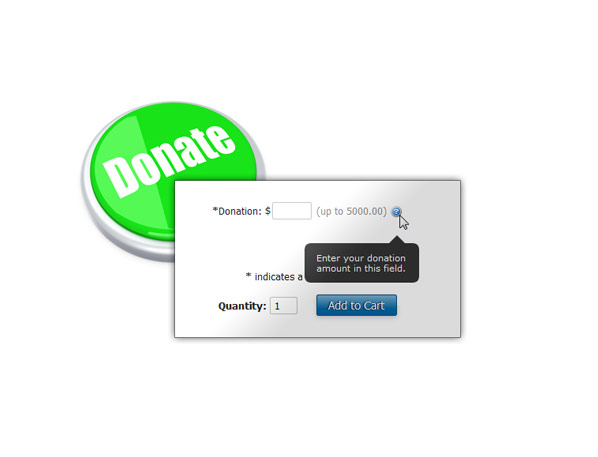
Variable price options
are great when you want the customer to set their own price, and can be used for donations. Click for a live example -
Price altering options
- Options are free by default, and can be assigned a price, which will increase the cost of an item when an option is chosen. Click for a live example -
Option quantities
- Every option type discussed above can be given a quantity field. Click for a live example - Options can be marked as required (customer must choose an option in order to purchase item)
- The cost of an option can be applied per unit (default), or per line item. Charging per line item works great for setup fees, or anything that must be charged only once regardless of the quantity ordered.
- Options can alter the weight of a product (add or subtract), for use in real-time shipping rate calculations.
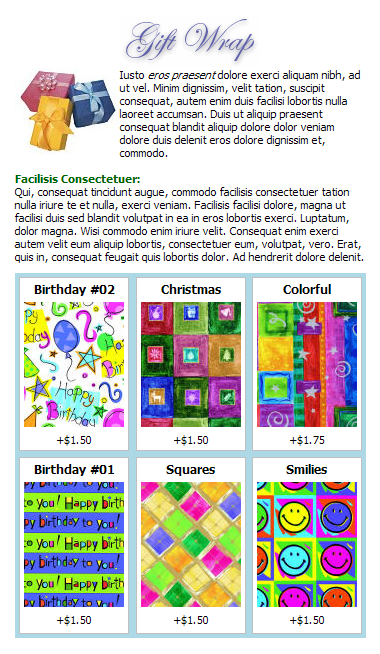
- Squirrelcart can add a link that will open a popup detail page describing an option and its choices. If you add images for your choices, they will appear on this page. It's a great way to show detailed information describing the option and its choices.
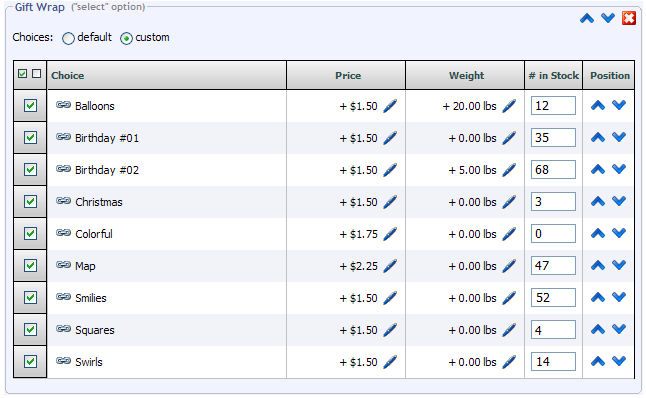
- Our inventory control feature allows you to track your stock at the option level.
- Tooltips can be added to aid your customers in choosing options.
Need more options?
You can even make a product an option for another product, via our add-on products feature. This works great when you want to sell an item separately, and also as an add-on for another product. See the add-on products section on this page for more info.
Add-On Products
With the add-on products feature you can assign products to another product as "add-ons", using the related products feature.
Improve sales
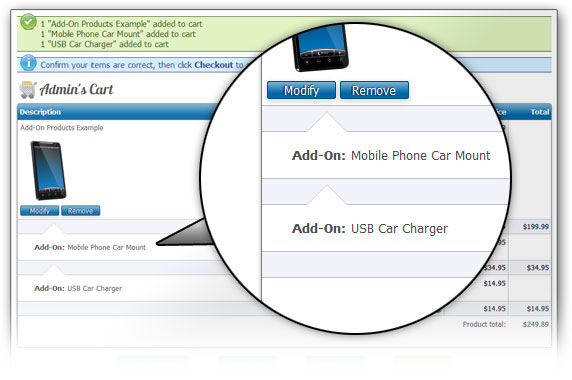
Improve your sales by letting your customers add an item and related items to the cart in a single operation.
- Add-ons are flagged as add-ons in all checkout and order views.
- When removing a product from the cart, add-ons are also removed.
- All the features that work with products also work with add-ons, including product options.
- With the Quick Total module installed (sold separately), customers will see a grand total below the Add to Cart button, updated on the fly as add-ons are selected.
- Add-ons can have their own quantity field, or a checkbox to select them.
- Thumbnail images do not appear for add-on images during checkout by default (but can be enabled if desired).
Discounts
You can create just about any kind of discount you can imagine, using our discount features and our rule system.
Powerful discount features
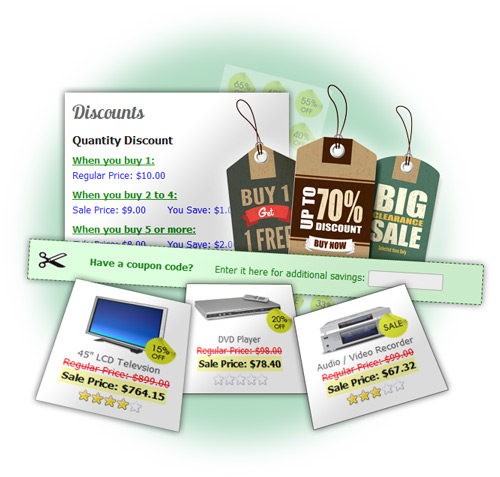
- Create discounts at the product, category, or order level, using either set amounts, or percentages.
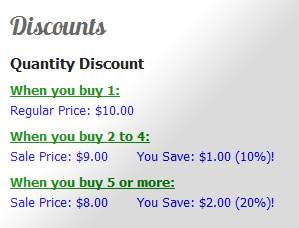
- With the quantity based discount feature, you can set pricing tiers for a product. This lets you offer better pricing when a customer orders in bulk.
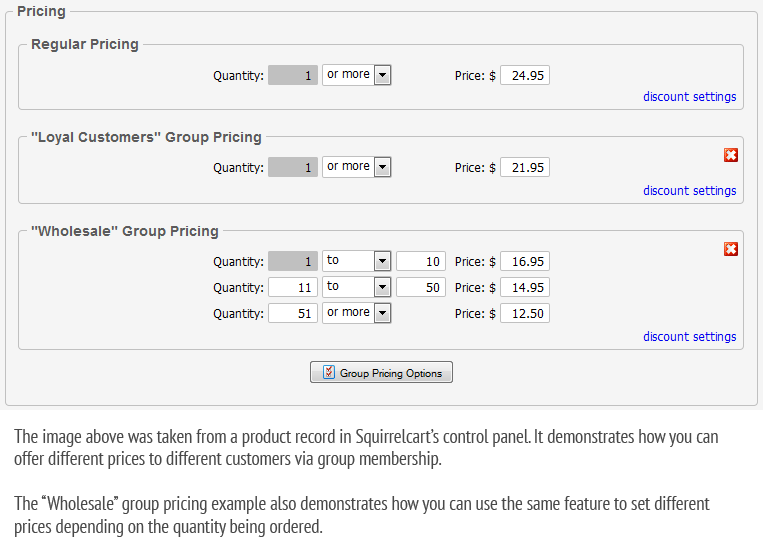
- With the quantity based discount feature, you can also set different prices for different customers via group membership. This allows you to offer a product at different prices to different customers, and is great for wholesalers.
Click for example - Offer "Buy 2 get 1 free" type discounts
Amazing control via our rule system
Squirrelcart has a powerful rule feature, which allows you to specify when to offer a discount. You can target a discount based on user information, group membership, past orders, the current order in the cart, date, coupon code, etc...
When specifying values you want to match against, you can also use regular expressions. You can combine rules and conditions to offer just about any discount scenario you can think of. For example, you could actually offer this crazy discount if you wanted to:
Offer 20% off when coupon code 123ABC is entered, between May 1st and June 15th , when the user is in the "Special Customers" group, and they spent at least $500 in the past 180 days, and their last name ends in an "s", and their current order is over $250, and doesn't weigh more than 50 lbs.
You would never need a discount like that, but it does demonstrate how much control you can have.
Show off your discounts to attract more sales
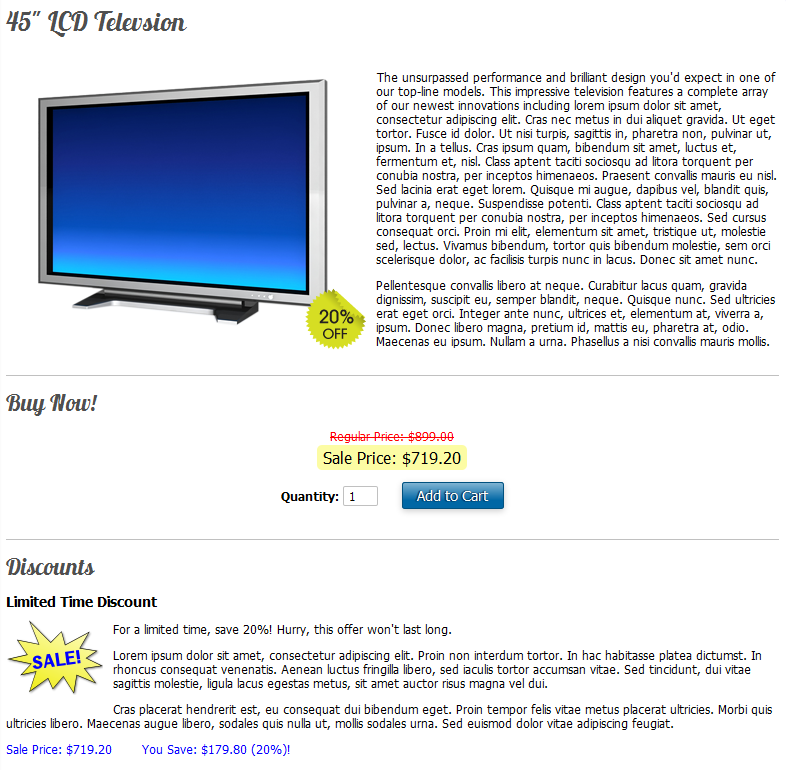
- Discount badges are images that are overlayed on top of your product images to indicate they are on sale. They can be shown on product thumbnails. They can also be shown when viewing a product's detail page.
- Advertise discounts on your product pages.
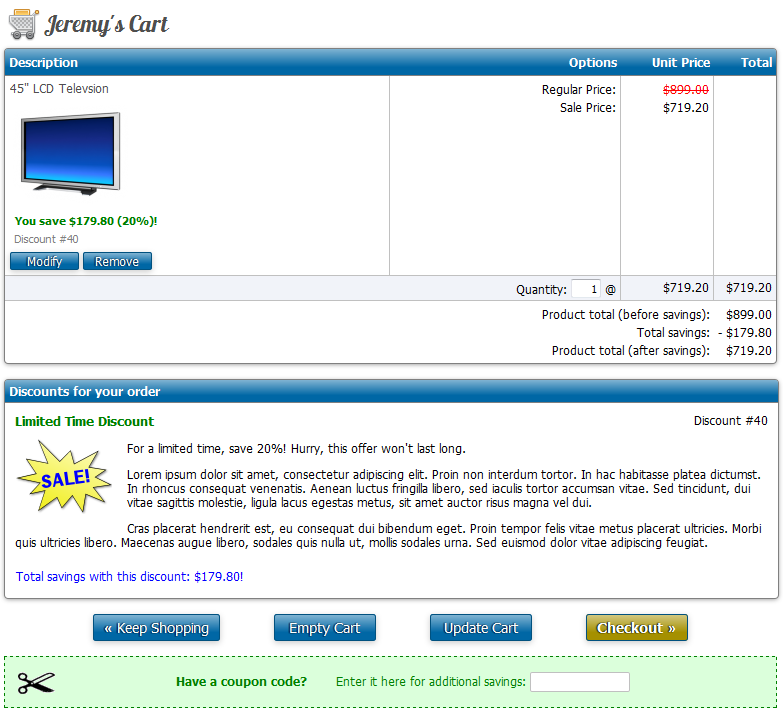
- Show discounts during checkout.

SEO (Search Engine Optimization)
Many of our customers are SEO experts, using Squirrelcart for their e-commerce clients. Why? Because we understand the importance of SEO, and have added several features to help your pages rank well.
Metadata
You have full control over the page title, meta description, and meta keywords for all store pages, including: product, category, search, checkout, account, order history, content, module, and other pages.
Squirrelcart automatically adds the correct metadata fields and tags to your pages, so search engines and other systems can understand them.
Facebook Open Graph
Open Graph is an open protocol created by Facebook. It is a standard which allows you to add additional meta tags to a page to aid other systems in understanding that page.
When Open Graph meta tags are present on a webpage and you share that page on Facebook, Facebook uses those tags to help determine how to handle that page. By adding Open Graph meta tags, Facebook can better handle your pages. While created and used primarily by Facebook, it is also used by other systems.
<meta property="og:url" content="http...://www.example.com/digital-cameras/16-megapixel-digital-camera" />
<meta property="og:description" content="16 M...egapixel camera with long lasting battery life. | Your Store Name" />
<meta property="og:type" content="pro...duct" />
<meta property="og:site_name" content="Your... Store Name" />
<meta property="og:image" content="http...://www.example.com/sc_images/products/digital-camera.jpg" />
Schema.org Microdata (used by Google)
Schema.org Microdata is an open standard similar to Open Graph. It is used by many search engines and other systems. This is Google's preferred means of specifying metadata. Using Schema.org Microdata on your pages will help Google and other sites better understand your pages.
When enabled, Squirrelcart will automatically add the correct Schema.org Microdata to your pages, using a combination of <meta/> tags inside the <head/> tag of a page, and tag attributes throughout the page.
<meta itemprop="description" content="16 M...egapixel camera with long lasting battery life. | Your Store Name" />
<meta itemprop="image" content="http...://www.example.com/sc_images/products/digital-camera.jpg" />
<meta itemprop="itemCondition" content="New" />
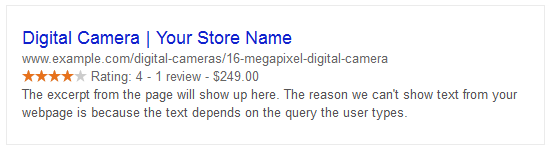
This is how Google interprets Squirrelcart product pages with Schema.org Microdata enabled, and our Reviews module installed:
Twitter Cards
Twitter Cards, according to Twitter:
Twitter Cards work much like Open Graph, via special <meta/> tags.
Human and search engine friendly URLs
Query string URLs are used by most scripts, to tell the server what action is being performed. They look like this: http://www.example.com/store.php?crn=154&rn=87&action=show_detail
Query strings in URLs are difficult to read, have no meaningful words or phrases, and don't help you understand the page being linked to.
Our SEO URL feature solves this problem. It removes query strings from category and product URLs and replaces them with search engine and user friendly keywords:
http://www.example.com/books http://www.example.com/books/gone-with-the-wind http://www.example.com/about-us
The words used in the URLs can be customized. We call these bases. By default, the bases are generated automatically based on your products, categories, and other records, however, they can be customized to suit your needs.
Canonical Links
Pages may have a few different URLs that point to the same page, for filtering results, sorting, changing page numbers, tracking affiliate links, etc...
This may cause search engines to treat those page variants as duplicate content. To prevent this, Squirrelcart automatically sets a canonical <link/> tag on these pages, pointing to the correct master URL for these variant URLs.
For example, if you are tracking add clicks to a product page via a custom parameter like adclick, you may want to send a customer to a product page like this so you can track the ad click via your web statistics software:
If this page is indexed by a search engine, it looks just like the version without the adclick parameter and looks like duplicate content. For the above example, Squirrelcart will automatically add this link to prevent that from happening:
Prev and Next Pagination Links
When viewing a category or when viewing search results, if more products are available than will fit on a page, that page may contain page navigation links to navigate to other pages in the data set.
Search engines may see these pages as duplicate content. To help search engines understand pagination, Squirrelcart adds rel="prev" and rel="next" links:
<link rel="next" href="http://www.example.com/books/page-3/" />
What about old URLs?
Squirrelcart keeps track of every value you specified as a base for your products, categories, and other content. When you specify a new base, the old base is stored in a log. If the page is requested using the old URL via a bookmark or a link in a search engine, Squirrelcart will automatically issue a 301 redirect to the new URL.
This helps humans get to the correct page, and also lets search engines know that the page has moved.
Storefront Components
There are too many features in the storefront to list them all here. However, this is a small subset of some of the components you'll find in the default storefront page. You can create your own navigation blocks and content to add any additional HTML you like.
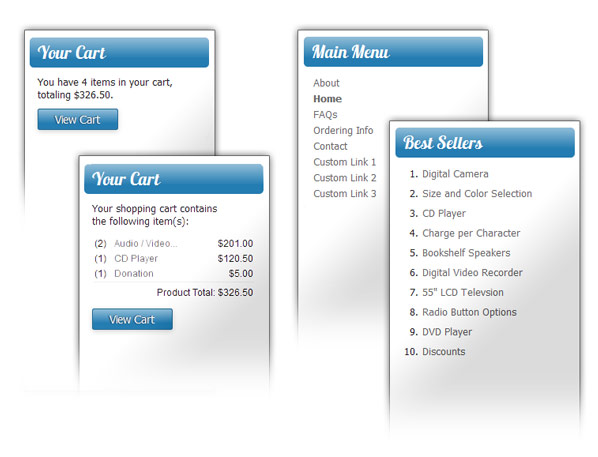
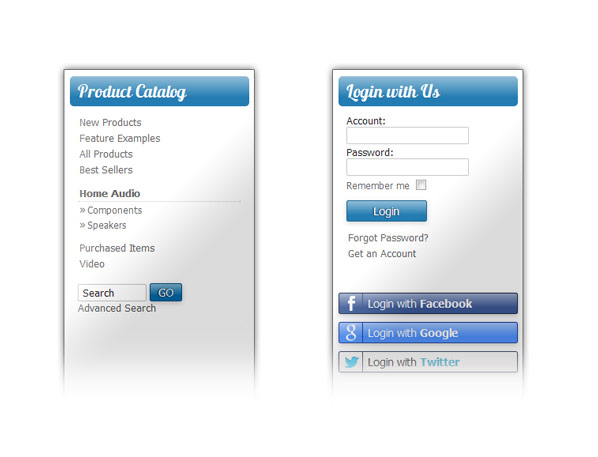
- Product Catalog navigation block - displays categories for browsing.
- Account Options navigation block - when logged in, displays options for the customer. When logged out, displays the login form. User accounts can be configured so they are required, optional, or not present at all.
- Cart preview navigation block - displays breakdown of items currently in the cart
- Best Sellers navigation block - optionally display top ten items on homepage
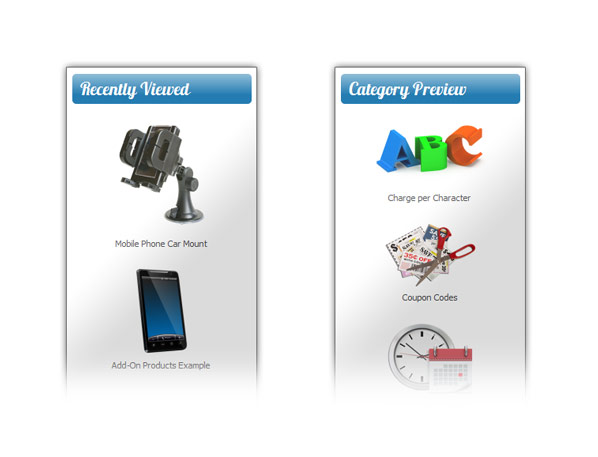
- Category Preview navigation block - this is shown when you are viewing a product. It is a preview of other items in the category you currently are viewing. In the example, the category preview is seen on the right hand side of the page.
- Recently Viewed navigation block - this shows products the customer has recently looked at, in the order viewed. This gives them a way to easily return to a product they were interested in.
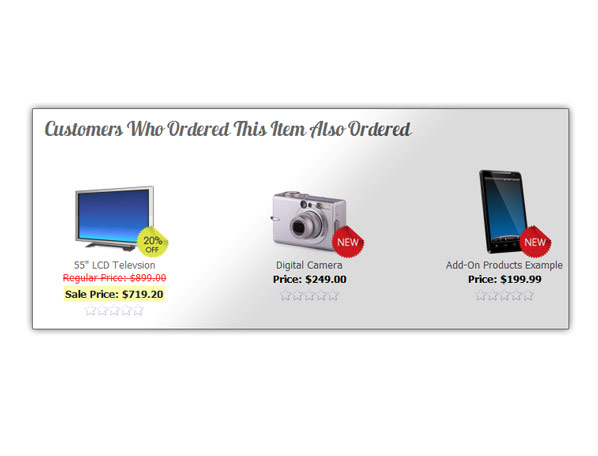
- "Also Ordered" Products - When viewing a product, this displays other products that were ordered with that product by other customers.
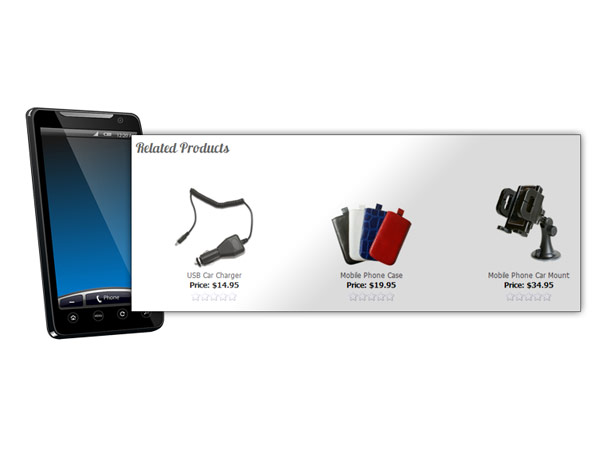
- Related Products - When viewing a product, this displays related products that you define in the control panel.
- Best Selling Item - optionally displayed on homepage
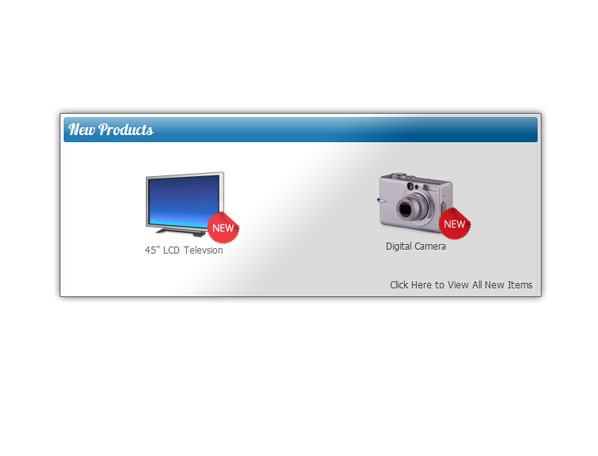
- Indicate products are new with badges, and display subset of new products on your homepage
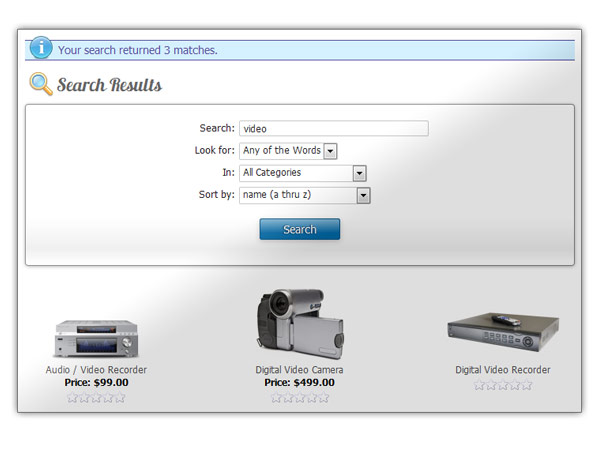
- Simple and Advanced Search
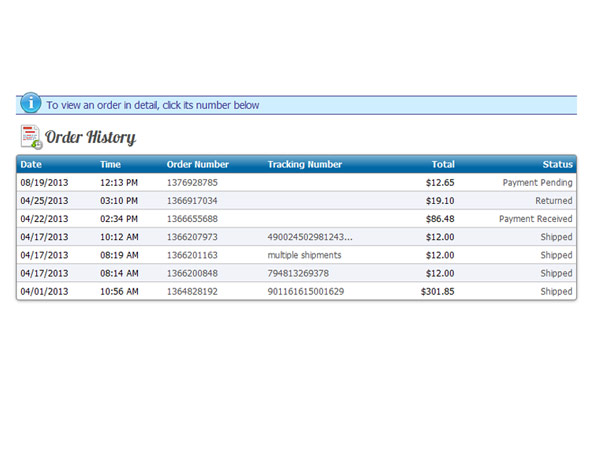
- Customers can view their order history in detail


Inventory Control
Squirrelcart can track the number of units you have in stock, for both products and product options.
Don't sell more than you have in stock!
Without inventory control, it is very possible that two customers could order the last of an item in stock. You would be left issuing a refund to an unhappy customer. Our inventory control feature makes that a thing of the past.Control what customers see when an item is out of stock
- Display item as out of stock, and do not allow customer to purchase it
- Display item as out of stock, and allow customer to purchase it
- Display item normally, and allow customer to purchase it
- Hide the item
Custom out of stock messages
When an item is out of stock, you can set a store-wide out of stock message. If you want to get more specific, you can specify custom out of stock messages for individual items. This can be used to let the customer know when an item will be back in stock.
Smart, automatic restocking
Squirrelcart can restock when you issue a refund, delete an order, or assign a custom order status.
Completely Database Driven
Squirrelcart stores information via MySQL, the world's most popular open source database.
Customers, products, categories, store settings, shipping options, payment methods, and orders are all stored in the database, for fast and efficient access.
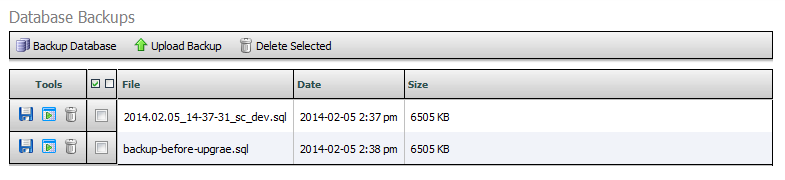
Backup and restore
With the backup tool in the control panel, you can create database backups, and restore using them should things go awry.
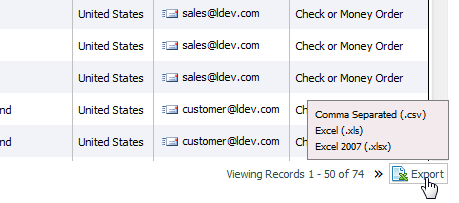
Export
Export data from any control panel table view, in comma separated (.csv), Microsoft Excel 2007+ (.xlsx), or Microsoft Excel 2003-2007 (.xls) format.
Perform custom queries
With the query tool, you can perform direct database queries against your database. When doing this, be sure to create a backup using the backup tool first.Email Features
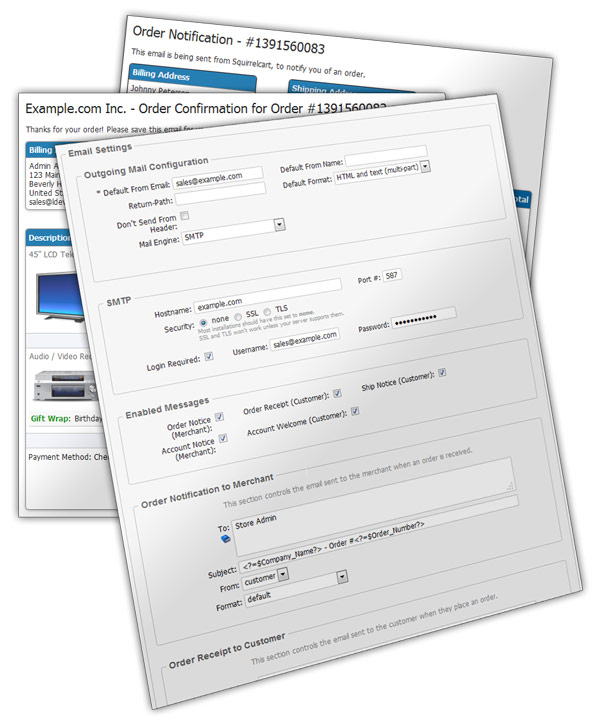
Squirrelcart can send several different emails, all of which can be turned on and off, and can be customized using our control panel and template files.
Emails sent by Squirrelcart
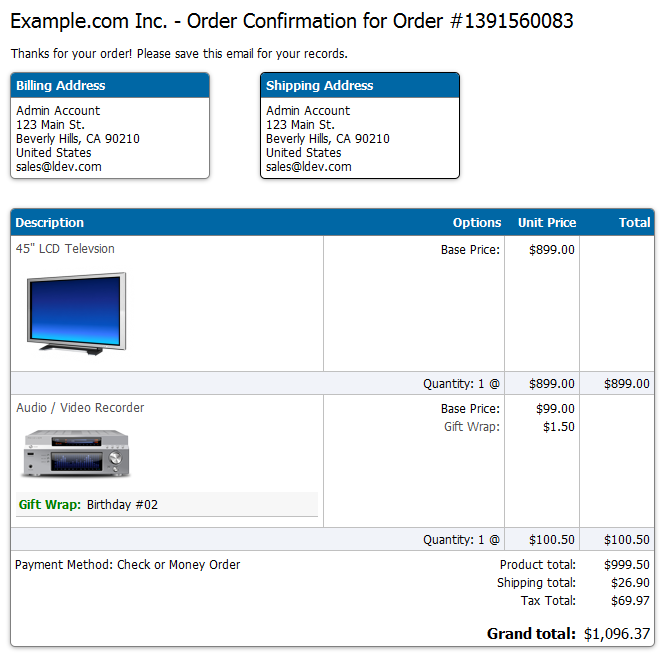
- Order receipt to customer
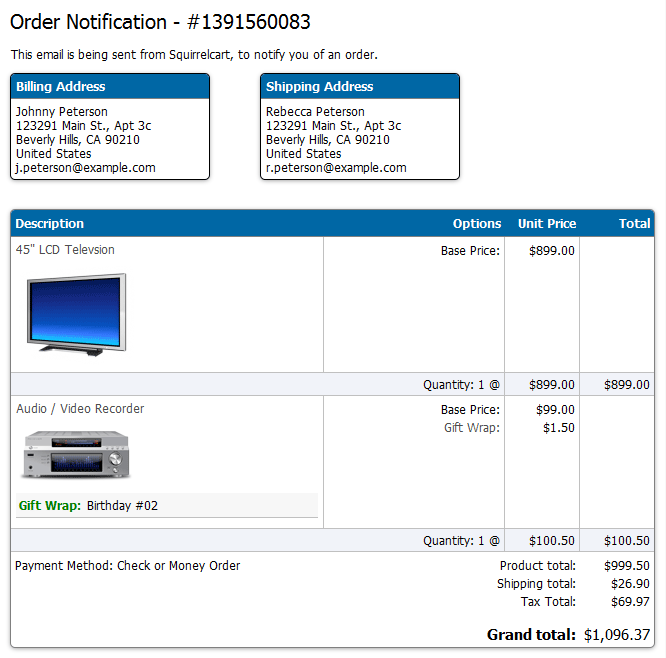
- Order notice to merchant
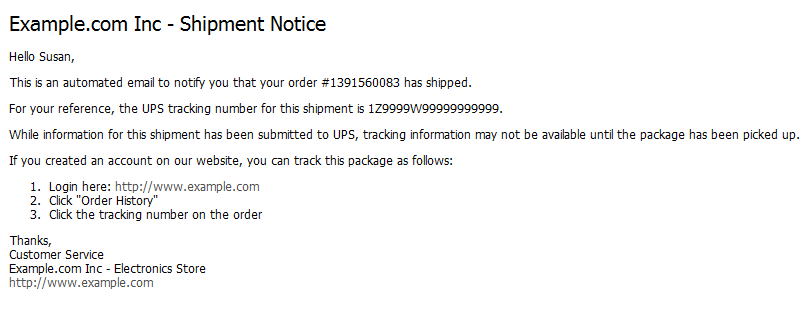
- Shipment notice to customer, with optional tracking number
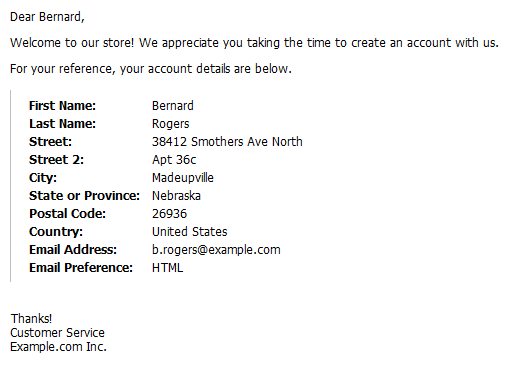
- Account creation, to welcome a new customer
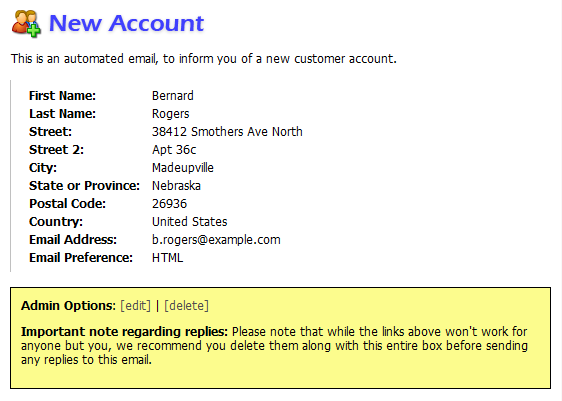
- Account creation, to notify merchant of a new customer
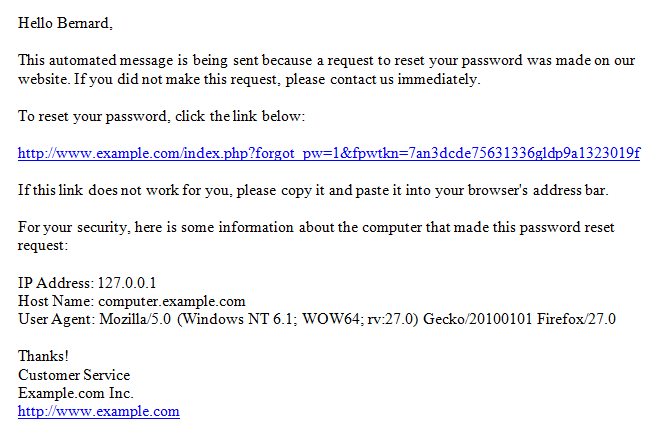
- Account reset email, to aid user in resetting a lost password
- Refund notification, to let a customer know they have received a refund.
- Send notes to customer regarding their order.
- Newsletter emails via our News module (sold separately - included in Squirrelcart Pro)
- Contact email to merchant with confirmation email back to customer, via our Contact module (sold separately - included in Squirrelcart Pro)
- New product review notification email to merchant, with an email back to the reviewer when their review is made live, via our Review module (sold separately - included in Squirrelcart Pro)
- New testimonial notification email to merchant via our Testimonials module (sold separately - included in Squirrelcart Pro)
Multiple mail engines
Squirrelcart can send emails using SMTP (with or without authentication), PHP's built-in mail() function, or sendmail.
Automatic Emails
With our automatic email feature, you can set up custom personalized automatic emails that can be sent to users and to staff when certain events occur.
You can automatically send emails when an order is placed or updated with a status, and when a user is created or added to a group.
With our rule system, you can further refine when an email is sent. It is possible to send an automatic email for just about any scenario you can come up with.
Examples of when you may want to send an email:
- When a custom item is ordered, telling the customer how long it will take to process.
- When a customer reaches a spending total of $500, offering the customer a special discount.
- When an order is placed between December 25th and January 1st, letting the customer know that there may be a longer wait time for delivery.
- When you've added a customer to a Wholesale group, notifying them that they have been granted special pricing.
- When a customer has opted into a news group (requires News module), confirming with the customer that they have joined the group, and thanking them for joining.
Some of the features:
- Include file attachments in any auto email
- If a user orders an item that has a file upload option, you can receive those files as attachments to the order notification email.
- Include vCards with contact information (requires the Contact module).
- Resend order receipt and account welcome emails via record actions in the control panel.
- Send account reset emails to users that have lost their username or password, via a record action in the control panel.
- Customize the bulk of the content of built-in automatic emails without having to modify template files.
- Include order, user, store, and other info in your emails, using variables. This can be used to personally address a user by their first name, or include information from their order in the body or subject of the email.
Customers can choose email message format
Users can specify whether they prefer to receive HTML formatted or plain text formatted emails. This feature can be turned off at your discretion.
Shipping Features
We have built-in support for all couriers, with powerful tools like real-time rate lookups, tracking, shipping label creation, address validation, and more.

Endicia® - USPS API
Squirrelcart is partnered with Endicia.com to give you full access to generate USPS prepaid shipping labels, along with access to many shipping tools to aid yourself and your customers.
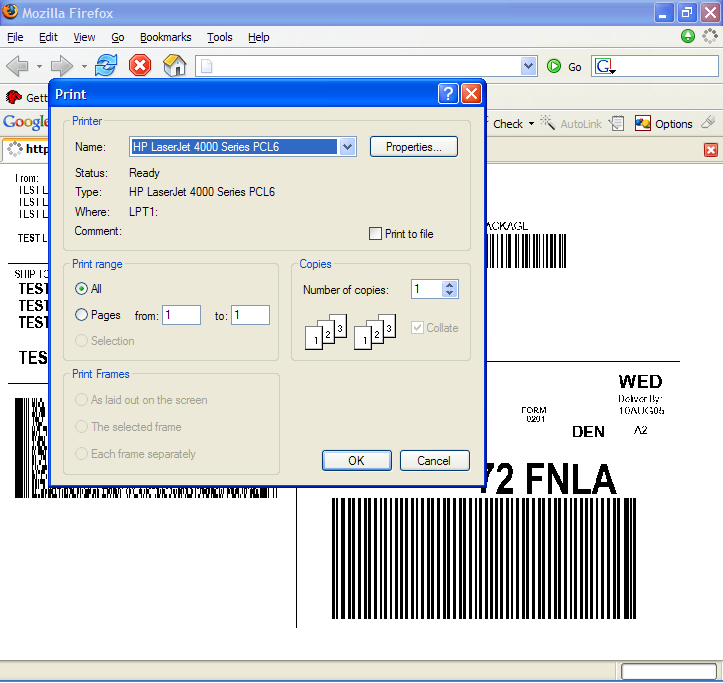
- Generate postage paid shipping labels in the control panel
- Customers can get live USPS rates without leaving your website.
- Tracking support allows you and your customers to track shipments without leaving your website.
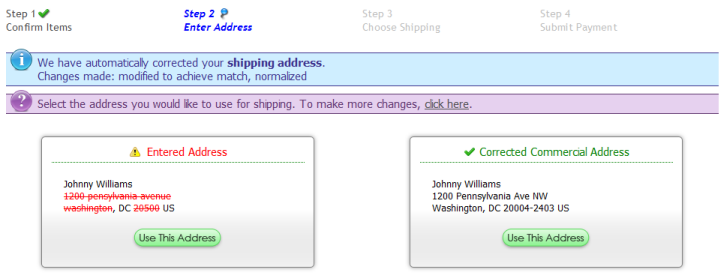
- Address validation can be used to correct addresses during checkout, and when generating shipping labels.
USPS Web Tools®
- Customers can get live USPS rates from USPS.com without leaving your website.
- Tracking support allows you and your customers to track shipments without leaving your website.
- Address validation can be used to correct addresses during checkout, and when generating shipping labels.
- Generate shipping labels in the control panel (requires postage)
FedEx® Compatible
Squirrelcart is certified to work with FedEx® Web Services, via the FedEx® Compatible Solutions Program.
UPS Developer Kit
We are a UPS Developer Kit Approved Provider. Read about our UPS Developer Kit integration.
Automatic shipment notifications
When you create a shipment in Squirrelcart, a shipment notification email is automatically sent to your customer. (can be disabled if preferred)
Zones
Group locations into zones, by country, state, city, postal code, or postal code range. Create your own zones, or use our built-in zones.
Use zones to control anything in Squirrelcart that already uses our ruleset feature, including: shipping, discounts, downloads, payment methods, order fees, etc...
Built-in zones: Domestic, International, US - Contiguous States, US Census Bureau Zones, UN M.49 country regions.
More features
- Canada Post Sell Online support - to obtain real-time rates
- Australia Post real-time rates
- Custom Shipping Couriers and Methods can be added
- Ability to create custom shipping rules to offer whatever rates you like using our powerful rule system. Offer rates based on order weight, cost, number of items, address, and much more.
- Full support for changing weight and dimension units, with feature to convert all weight/dimension field values from inches to centimeters, pounds to kilograms, and vice versa.
- Automatically create shipping labels behind the scenes, the moment your customer submits their order (for UPS and FedEx).
- Automatically print thermal labels that were created during checkout, to an IP based thermal printer. This will result in the label being printed the instant the customer completes their order!
Handling & Order Fees
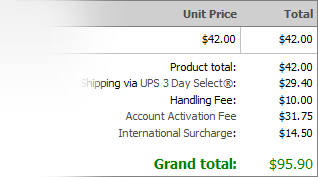
- Apply handling fees at the item and/or order level
- Assign an unlimited number of additional fees to your orders. With our powerful rule system, rules can be assigned to control when a fee is charged. You can add fees based on location, past orders, group membership, date, and much more.
- Fees can be shown as "handling", or given any custom label you specify.
Cart Persistence
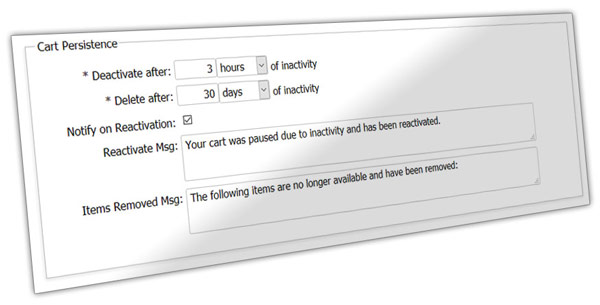
With the cart persistence feature, your customers can keep items in their cart for days, weeks, months, or as long as you like. Carts are stored in the database for safe keeping, preventing lost sales, and making all sorts of nifty things possible.
What your customers can do
- Add items to the cart, close their browser, and complete their order later, even if they are not logged in. Upon return, their cart will be just as they left it.
- Login, start an order, and finish it on a different computer at a later time. After logging in (from any computer), their cart will be just as they left it.
- Carts survive, even if the user's session does not. This means a cart can persist even after a power loss or a server reboot.
What you can do
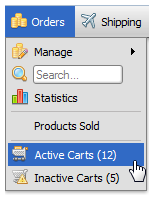
- See details for carts, even if they did not make it through to completion.
- Change a cart into a completed order, in the event that the user did not finish the order themselves. This can be especially useful should a payment gateway fail to notify Squirrelcart of payment.
- Delete carts if they look suspicious, silently emptying the customer's cart.
- View both active and inactive carts in the control panel.
Works seamlessly with inventory and price changes
- Carts can be deactived or deleted, using timeframes set in your control panel.
- The items in deactivated carts get restocked automatically, but they stay available for the user should they return.
- If a user has an inactive cart and returns, their cart will automatically be reactivated.
- Upon reactivation, Squirrelcart checks to make sure the items are still available, and updates prices if they've changed.
Payment
Squirrelcart can handle the following types of payment.
- Credit Card
- PayPal
- Electronic Check
- Check
- Money Order
- Purchase Order
- Amazon Payments
- Custom
Credit card payments
If you are going to take credit cards for payment, you will need to use a payment gateway or payment processor. Squirrelcart supports most popular payment systems.
Restrict Payment Methods via Rules
With this feature, you can restrict the use of payment methods using our powerful rule system. This can be useful for when you want to offer a payment method, but only under certain conditions such as order total, group membership, etc...
Sales Tax
- State / Province based tax calculations - specify which states you charge tax in, and percentages associated with them
- Specify whether or not to tax products at the category or individual product level
- Ability to tax shipping and handling
- Create tax exempt groups, for wholesale or non-profit customers.
VAT (Value Added Tax)
- VAT support for all 28 EU member states.
- Specify whether or not to tax products at the category or individual product level
- Specify which rate type should be charged for a given product or category
- Support for VAT exemption - to allow exempt companies to not be charged VAT by entering their company name and VAT registration number at checkout.
- VAT registration number format validation - to ensure that the VAT registration number entered is formatted correctly
Order Management
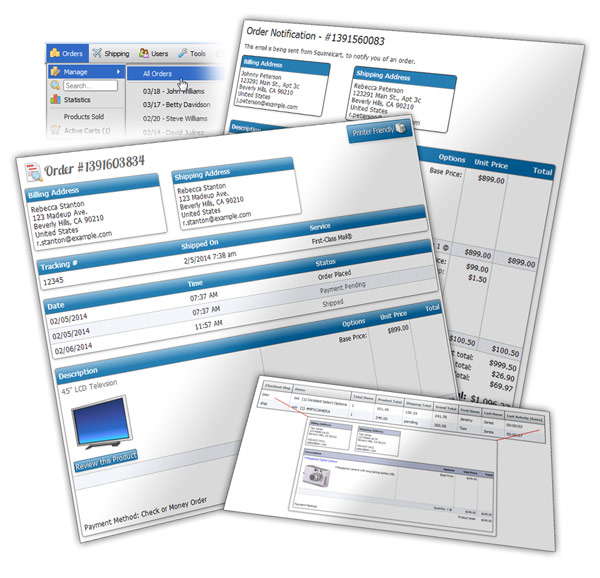
After an order is placed, Squirrelcart can help you fulfill and manage it with our order management features.
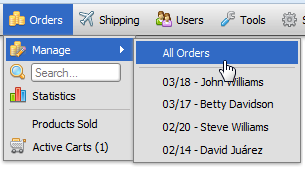
View orders in style
You will receive orders in your inbox, in HTML or plain text format. They look just like they appeared to the customer when they placed the order.
Orders can also be viewed in the control panel.
Bulk Printing
Select multiple orders, and print them all in one shot to save some serious time.
Track orders every step of the way
You can track the state of an order using our order status feature. It allows you to assign a status to an order which is marked with a timestamp. The status indicates where the order is in your fulfillment process at any given time.
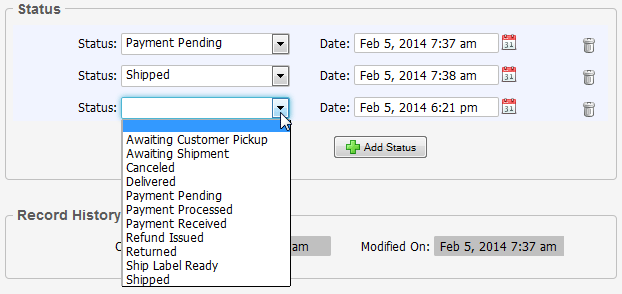
We have several built-in order statuses, such as payment pending, payment received, approved, shipped, refunded, etc... You can also create your own custom order statuses to suit your specific business needs.
Adjust order information
You can edit orders in the control panel, to adjust address information and totals.
Keep your customers in the loop
Assigning a status of shipped will automatically trigger a shipment notification email back to the customer, with a tracking number if one is available.
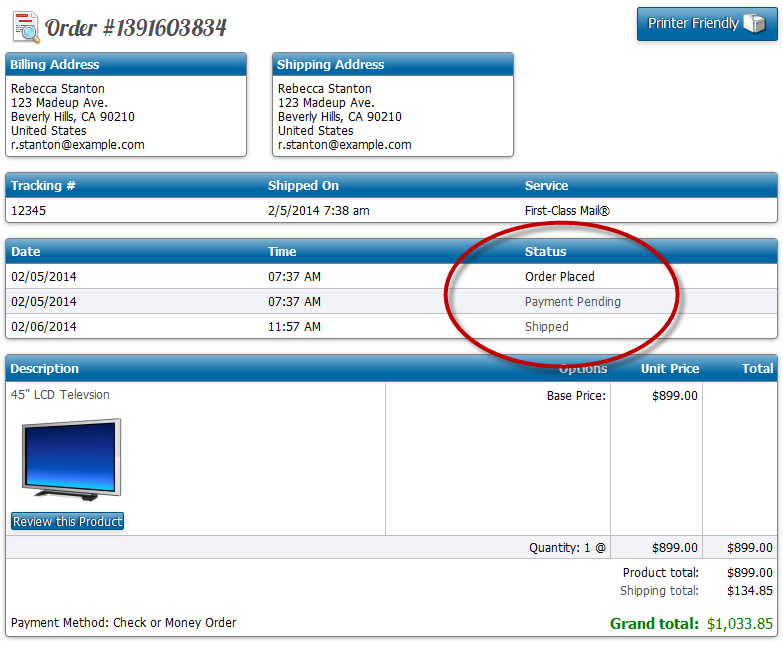
Customers can see the status history of their orders on their order history page. If you have an order status that is for internal use only, you can hide it from your customers.
Watch orders in progress
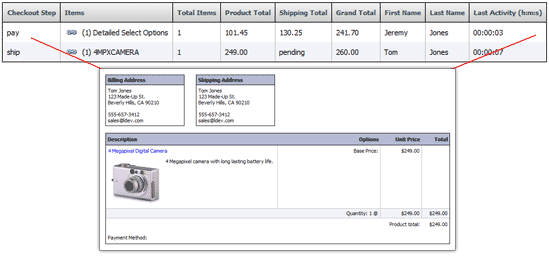
With our active carts feature, you can see live orders as they are being placed, just as the customer sees them.
Track your sales
Our order statistics page shows a breakdown of sales (along with shipping, tax, handling, etc...) for each day of the month, the last twelve months, prior years, and for the current month across all years.
You can drill down by clicking on a year, month, or day, to drill down to the next level. You can even see a breakdown of orders by hour for any given day.
When you want to work with stats offline, you can export them to .CSV or .XLS files.
Sales Agreements
- Agreements can be shown at checkout, on the account form, address form, and product pages.
- Sales agreements assigned to products will appear on the payment page OR on the product page, depending on your configuration.
- By default, customers must indicate that they agree by checking a checkbox. You have the option of making agreements informational only, which will remove the checkbox.
Security & SSL
Features
- Squirrelcart supports SSL. SSL is a communications protocol that enables Squirrelcart to send order information in a secure manner to the payment gateway you are using, via encryption. To use SSL with Squirrelcart, you must have an SSL certificate. When enabled, Squirrelcart will automatically switch to your secure URL as needed - during checkout, login, account creation/modification, control panel access, etc...
- Information the cart needs in order to maintain the flow of the application is temporarily stored on the web server using sessions. That information is not stored in cookies.
- Passwords are stored as one way hashes. The hashes are created using the Blowfish algorithm (by default, if available).
- Minimum username and password length is customizable
Squirrelcart is secure
We take security very seriously, and always write code with security in mind. Squirrelcart passes all PCI scans. Any vulnerabilities that may arise in Squirrelcart are patched as quickly as possible (usually the same day they are reported to us).
If you suspect that a problem in Squirrelcart may have been used to cause a problem on your site, or to gain unauthorized access, notify our support department as soon as possible and we will help.
Obtaining Security Patches
All security patches are available on our Downloads page to all users regardless of their download status. They are located in the section labeled Security Patches.
We offer a security mailing list that you can join to receive important security announcements.
Human Verification
We support reCAPTCHA for ensuring that forms are filled out by humans and not by spam bots. The following forms can be enabled for reCAPTCHA:
- Account form
- Account reset form
- Payment form
- *Review form
- *Testimonials form
- *Contact form
* requires a module, included in Squirrelcart Pro and sold separately for regular Squirrelcart
Code Details
Server-side
On the server-side, Squirrelcart is written using PHP. Our PHP code is neatly organized, commented, and not encrypted. If you are a PHP developer, you have access to the actual source code, which you can modify to suit your needs. Please keep in mind that we only technically provide support for modifications to template files, though you have the freedom to change whatever you like.
We use MySQL for our database engine.
Valid code is important
Having valid HTML and CSS is important. It helps ensure cross browser compatibility, reduces layout issues that may be due to mistakes, and ensures your content can properly be crawled and indexed by search engines.
If validation is important to you, you can't have valid code if you start out with a cart that doesn't validate!
Our HTML validates as HTML 5 transitional.
Our stylesheets validate as CSS 3.
Fast load times!
We make proper use of browser caching, compression, and file size optimization to speed up page loads.
All storefront CSS and JavaScript is contained in separate files that are linked to using <link> and <script> tags, for faster load times (via cache) and better SEO.
While we have several CSS and JavaScript files behind the scenes, when served to the browser they are done so using only one <link> tag and one <script> tag. This improves performance, as only two server requests are needed to load all of our CSS and JavaScript. This reduces the number of requests made to the server, which improves page load times.
HTML, CSS, and JavaScript files are served using compression, which dramatically reduces the total size of the page request.
Here's the total request size for the homepage of our demo store (as of this writing).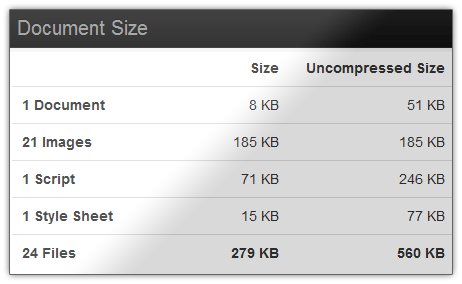
User Friendly, Intuitive Control Panel
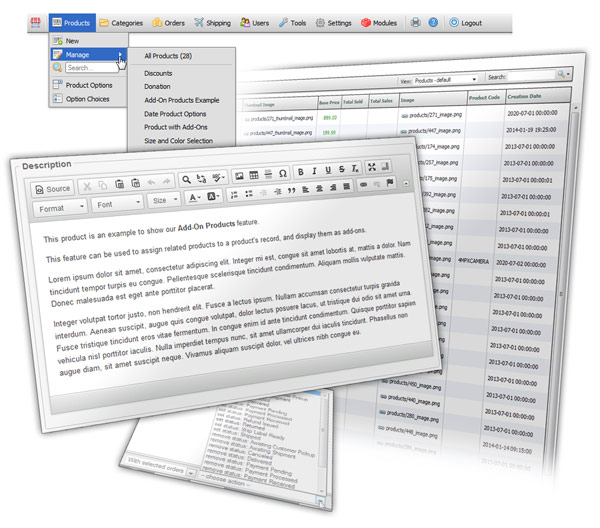
Easy to use
Squirrelcart's back end administration section has been designed for ease of use. We've spent countless hours making it as simple and intuitive as possible.
Smart, adaptive menu system
You can search from directly within the menu, for products, categories, orders, and users.
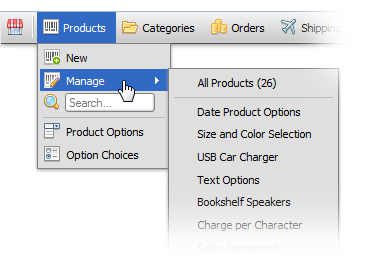
Quickly access the most recently edited products, categories, orders, and other records directly from the menu.
Edit items from the storefront
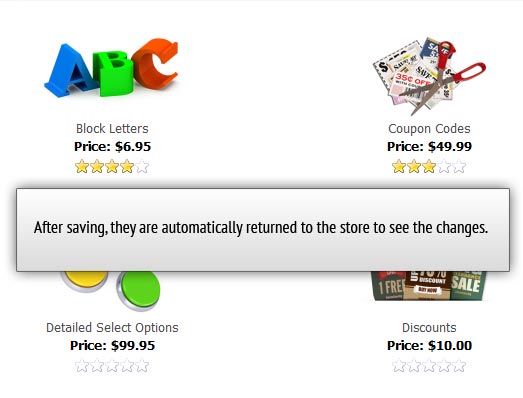
If you are logged in as admin and want to edit a product, category, or other record, you will see an edit link near the item in the storefront. Clicking the link will take you right to that record in the control panel.
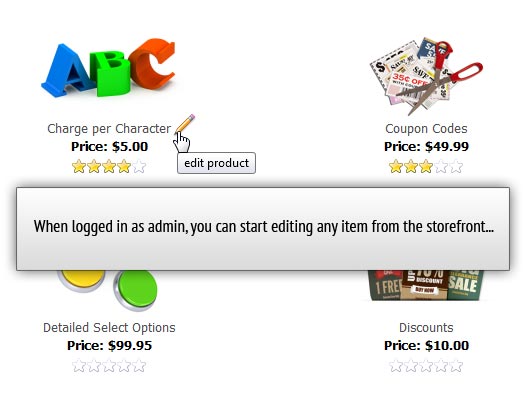
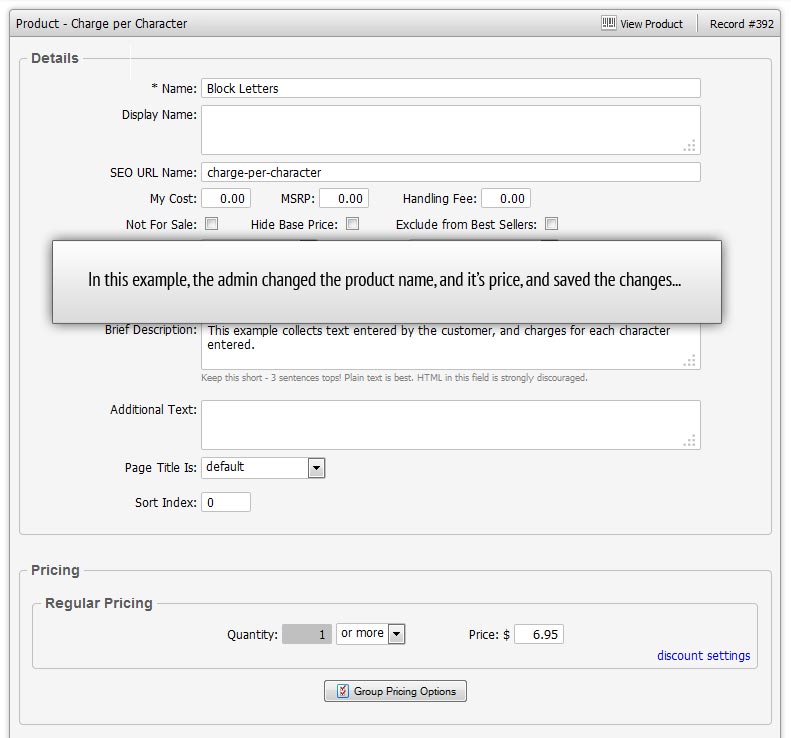
On save, you are returned back to the store. This makes it very quick and easy to make changes.
Help when you need it
Products, categories, and other items in the store are edited using forms in the control panel. Most field names are self-explanatory. For a field that might need some explanation, you can hover over the label to get instant help.
Create HTML without web design skills
Squirrelcart includes a rich text editor, to edit fields that accept HTML. With the editor in design view, you can create HTML for use in the store without having to be a web developer. Use the editor to change fonts and colors, add links, images, bullets, check spelling, etc..
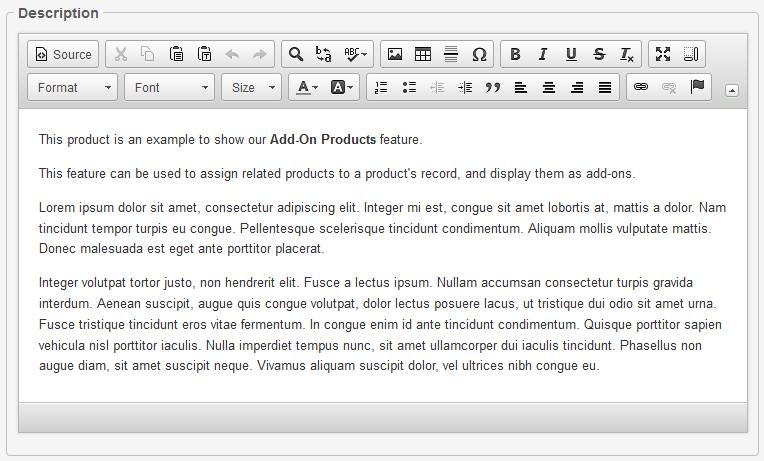
If you have HTML skills, put the editor in code view and you can work with the HTML directly.
Perform bulk record actions
With our record actions feature, you can perform actions on multiple records with a single operation.
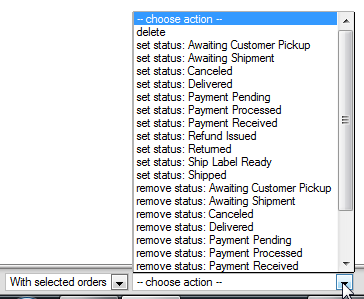
Login as a customer
If you get a phone call from a customer that wants to place a phone order, you can easily login as them from the control panel. You can then head to the storefront and place an order for them, update their account info, check their order history, etc...
See where your customers are
Order and customer records in the control panel include a map showing the location of your customers, via Google maps.
CMS (Content Management System)
Squirrelcart is not just a shopping cart, it is also a content management system. You can use it to run your entire website, or just your store.
Create informational pages
Squirrelcart creates your product, category, and checkout pages for you. With our CMS features, you can create other pages as well, and edit them in our control panel. You can create additional pages like About Us, FAQ, Privacy, or any other pages you might need.
Our content records use the same rich text editor found on your product records, making it easy to write HTML without having to be a web designer.
Control content on the store homepage
Content records are used by Squirrelcart to display different elements of the store. We have several built-in content records to display things like categories, best sellers, featured products, etc...
With the same feature, you can add your own custom content to your store home page, edit it, and control where it appears.
Navigation
Navigation blocks, which are located by default on the left and right side of the page, are used by Squirrelcart to display links and other elements. Squirrelcart has several built-in nav blocks to display things like categories, cart options, account options, etc...
With the same feature, you can add your own custom nav blocks to the store, edit them, and control when and where they appear.
With our links feature, you can manage your links, organize them for display in certain areas of your store, link to external pages, and more.
Highly Customizable
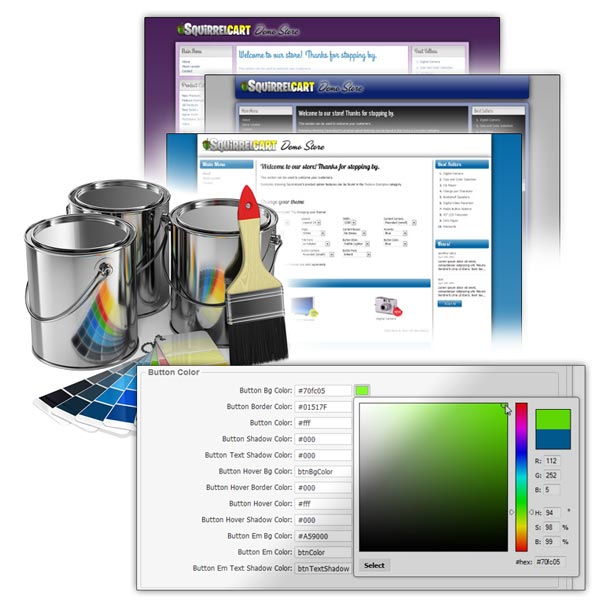
Squirrelcart uses themes to control the appearance of the store.
What are themes?
Themes contain individual templates, stylesheets, and images that define the appearance of your store. By changing your theme or its settings, you can completely change the way your store looks.
Built-in theme
Squirrelcart comes with a built-in theme that gives you incredible control. We've added support for 10 different layout styles in four different widths, complete control over colors, shadows, borders, corners (square, rounded), CSS3 linear gradients, CSS buttons without images, support for web fonts via @font-face declarations, and all sorts of other stuff.
There are now 15 variants to control various aspects of the design. Once you narrow in on something you like, you can tweak it further with loads of new settings. Change the button sizes, fonts, colors, corners, gradients, etc....
Try it now!Create your own custom theme
If you are a web designer, you have full control over the design. Squirrelcart can be made to match any design you can come up with.
The pages Squirrelcart generates for the store can be customized using our template and CSS files. You can change your fonts, background colors, all of the cart images, location of certain components, etc....
Our template files are PHP files, containing mostly HTML with some PHP mixed in. You don't need to know PHP to customize our template files.