|
Without Inventory Control
|   |
|
Without Inventory Control
| |
This topic describes how to assign your products to ship from a certain warehouse when Inventory Control is disabled.
1. Create at least 1 Warehouse record
See the Working With Records section for instructions on adding a record.
2. Put Product in Edit Mode
3. Specify a Warehouse
To specify which warehouse an item will ship from, choose the appropriate warehouse from the "Ship From" field in the Shipping Details section:
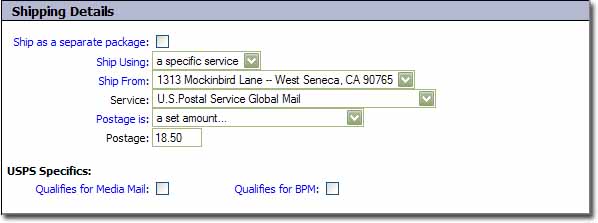
Note: If you do not see the "Ship From" field, then Inventory Control is enabled.