|
Record Overview
|   |
|
Record Overview
| |
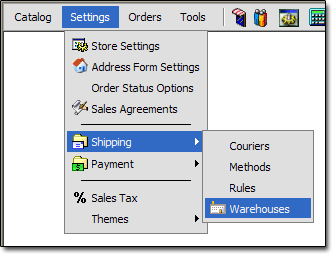
If you are unsure how to work with records, see the "Working With Records" section of the documentation. To get to the Warehouse records, click the "Settings > Shipping > Warehouses" link:
Below is an overview of the fields on a Warehouse record, and their purpose:
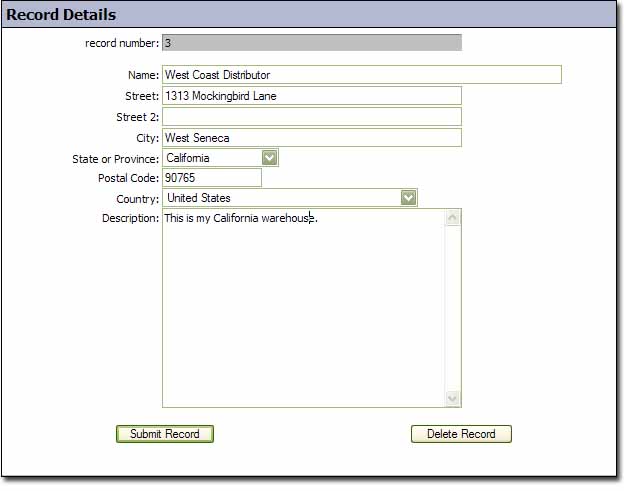
Name
- Name of warehouse
Street
- 1st line of street address
Street 2
- 2nd line of street address
City
- City of warehouse
State or Province
- State or Province of warehouse
Postal Code
- Postal Code of warehouse - this is important for real time rate lookups
Country
- Country of warehouse
Description
- Description of warehouse for your reference