|
With Inventory Control
|   |
|
With Inventory Control
| |
This topic describes how to assign your products to ship from certain warehouses when Inventory Control is enabled.
1. Create at least 1 Warehouse record
See the Working With Records section for instructions on adding a record.
2. Put Product in Edit Mode
3. Specify Warehouses
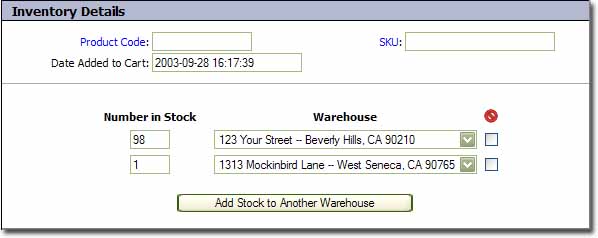
When Inventory Controlled is enabled, you need to specify the number of items you have in stock at each warehouse. This is done in the "Inventory Details" section of the product record.
To specify which warehouse an item will ship from, choose the appropriate warehouse from the "Ship From" field in the Shipping Details section: