|
Record Overview
|   |
|
Record Overview
| |
To view your categories, click the menu option below:
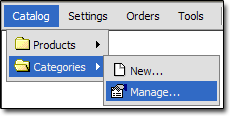
Below is an overview of the category record:
Primary Fields
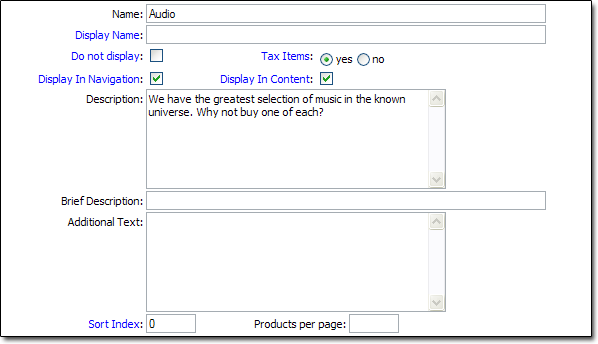
Name
- The name of the Category
Display Name
- The name that will be displayed in your storefront. This field is optional. If left blank, the "Name" field will be used.
Do not display
- This field allows you to temporarily hide a category from your storefront.
Tax Items
- This controls the default taxation for products in this category. It can be overriden at the product level.
Display In Navigation
- This controls whether or not the category will appear in the left "Product Catalog" navigation in your storefront. When checked, it will be displayed there.
Display in Content
- This controls whether or not the category will appear in the main content section (middle of page) in your storefront. When checked, it will be displayed there.
Description
- A description of the category. This appears immediately below the category's name in your content area. The field excepts HTML or plain text.
Brief Description
- A short description of the category. This does not appear anywhere in your storefront by default.
Additional Text
- An extra field to add more information about the category. This does not appear anywhere in your storefront by default.
Sort Index
- This field is optional. You can use it to sort your categories by setting "Order_Categories_By" in your store settings to "Sort Index". Categories are sorted by the Name field by default.
Products per page
- This field controls how many products will appear on a single page, when viewing this category in the storefront.
Product Options
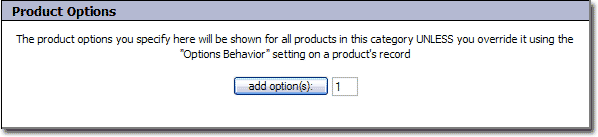
The product options on the category records work exactly as they do on the product records. The only difference is that the options added at the category level appear on all products within that category, unless overrided. See the "Adding Options to Products" topic in the Products section for more info.
Parent Category
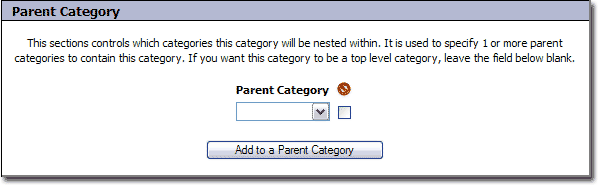
Parent Category
This field is used to nest this category inside 1 or more parent categories.
Category Images
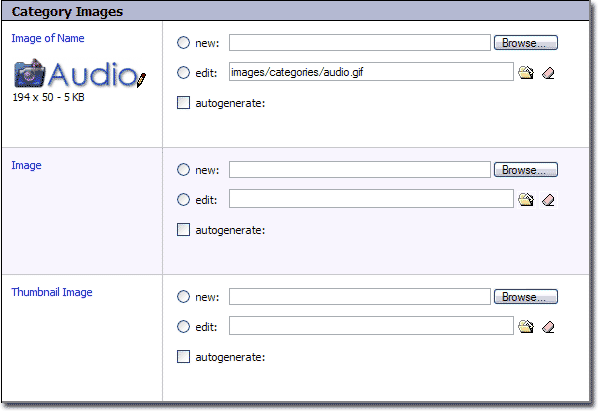
Image of Name
- This field is optional. It is used when you want to use an image to represent the categories name. If you do not specify an image for this field, the name will be displayed in text.
Image
- This is the main image for the category. When specified, it will appear to the left of the category name in the main content area of your storefront.
Thumbnail Image
- This is used to hold a thumbnail image of the category. It is not displayed anywhere in your storefront by default.