|
Address Form Settings
|   |
|
Address Form Settings
| |
The "Address Form Settings" page controls which fields will be displayed on your address forms.
1. Navigate to Address Form Settings
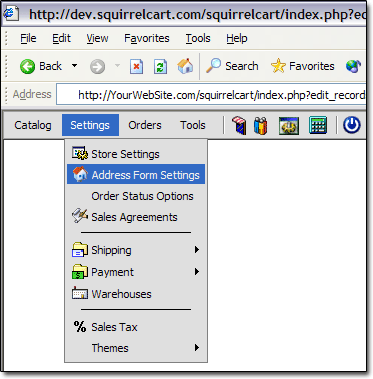
2. Address Form Settings

Billing Fields
-List of all fields to show on billing address form.
Required Billing Fields
-List of all required fields for billing address form.
Shipping Fields
-List of all fields to show on shipping address form.
Required Shipping Fields
-List of all required fields for shipping address form.
Default for Address Is
-This field controls the default value for the "Address Is" field in the shipping address section at checkout. The Address Is field is used in conjunction with UPS OnLine Tools, to help determine rates.
Account Fields
-List of all fields to show when a user is adding or modifying their account.
Required Account Fields
-List of all required fields for when a user is adding or modifying their account.
Countries
-All countries listed are from ISO standard 3166. Check off the countries that you will do business with. Default for the cart is to have all countries checked.
First Country
-This country will appear as the very first selection on address forms in your store.
Default Country
-This field controls the default country that will be selected on all address forms in your store.