Overview
Squirrelcart allows you to assign your customers to groups. Groups can be used with other features in the cart. For example, you can create group based discounts that will only be offered to members of a particular group. By default, Squirrelcart comes with one built in group named Store Admin. Your admin account is a member of this group, which is what gives it access to the administrative functions of Squirrelcart.
Creating a Group
- Open the control panel
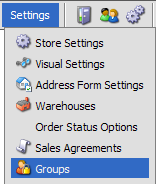
- Click the Groups menu link
- Click

- Enter a name for the group in the Groups field
- Enter an optional description in the Description field
- Click

© 2001-2010 Lighthouse Development. All Rights Reserved.