Viewing Payment Methods
To view payment methods, click this menu link: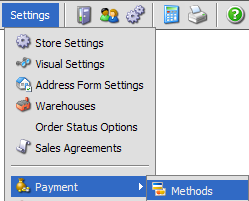
Field Overview
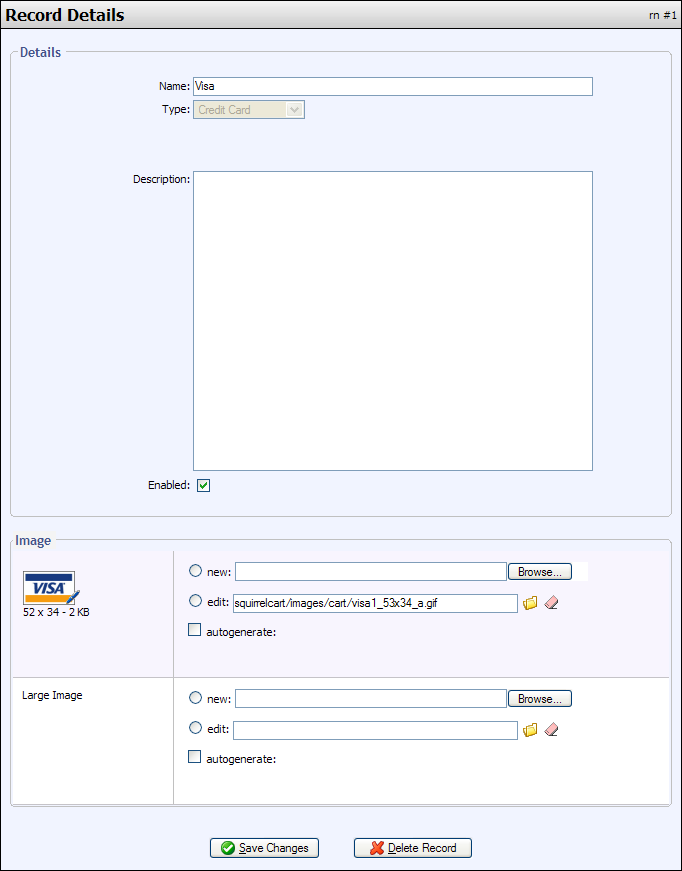
Name
This is the name that appears during checkout
Type
This field tells Squirrelcart how to handle this payment method. The field is read only for built in payment methods.
Possible Values:
- Credit Card
- Custom
- Electronic Check
- Other
Description
A description of the Payment Method. This is for your reference only.
Enabled
This field determines whether the method will be offered to the customer at checkout.
Image
Image to represent the Payment Method at checkout.
Large Image
This field is not used by default, but may be in the future.
© 2001-2008 Lighthouse Development. All Rights Reserved. Copy and Print Shops - please note: this is documentation and may be printed by anyone without violating our copyrights.