|
Modifying Stock Levels
|   |
|
Modifying Stock Levels
| |
In order for Inventory Control to work properly, you will need to specify how many units you have of each item, and where the units are located. Please be sure to read the "Configuration: Shipping : Warehouses" section of the documentation, as it directly relates to Inventory Control.
1. Edit a Product Record
Put the product you want to specify stock levels for in edit mode.
2. Add stock records
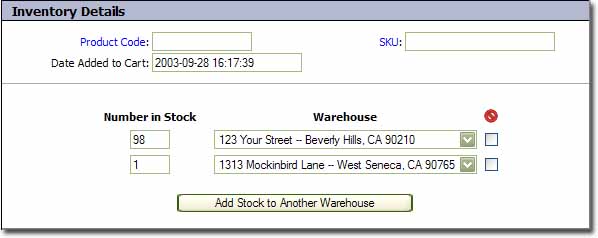
In the above example, you will be working in the section below the horizontal grey line. Enter the number of units you have in stock at a particular warehouse in the "Number in Stock" field. Change the Warehouse field to match the warehouse you are specifying the stock for. If you need to add units to another warehouse location, click "Add Stock to Another Warehouse", which will add another row of fields.
3. Click 