|
Record Overview
|   |
|
Record Overview
| |
Viewing Orders
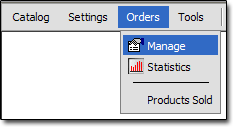
To view your orders, use this menu option:
Viewing a Single Order
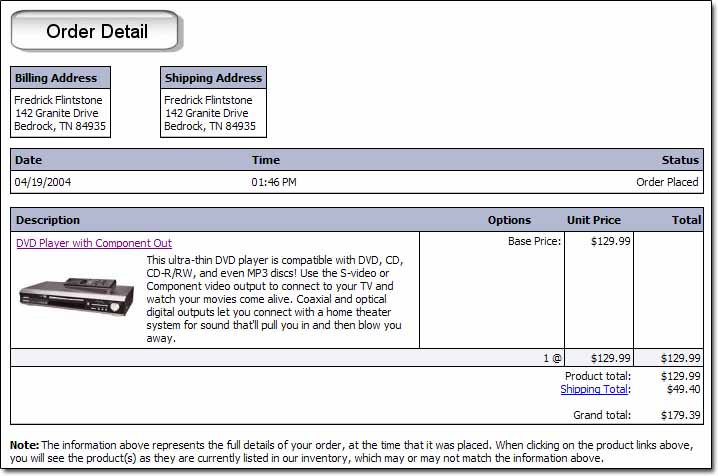
Orders can be viewed as they appear to the customer at checkout, by clicking anywhere on the order's record in the Orders table. When viewing an order in this method, it cannot be modified.
Editing a Single Record
To put an order record in edit mode, click the  icon to the left of the order's row.
Below is an overview of the fields on an Order record:
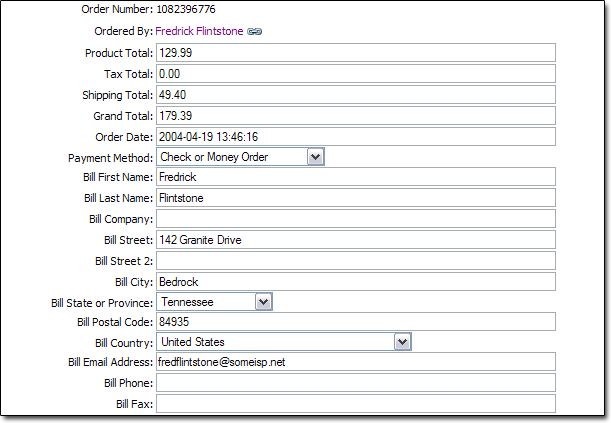
Order Number
- Unique number for the order. This can be customized. See the "Order Number Format" topic in this section for more information.
Ordered By
- This field contains a link to the customer's record, if the customer created a user account.
Product Total
- Total cost of products before shipping, tax, etc..
Tax Total
- Total cost of tax for entire order.
Shipping Total
- Total shipping costs for order
Grand Total
- Total cost of order, including products, tax, shipping, etc...
Order Date
- Date order was placed
Payment Method
- The method of payment. For example, Visa, Mastercard, Check, etc...
Billing Address Information
Bill First Name
Bill Last Name
Bill Company
Bill Street
Bill Street 2
Bill City
Bill State or Province
Bill Postal Code
Bill Country
Bill Email Address
Bill Phone
Bill Fax
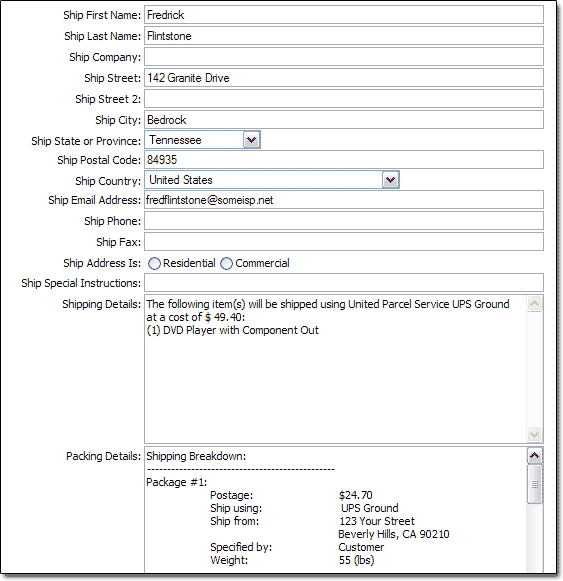
Shipping Address Information
Ship First Name
Ship Last Name
Ship Company
Ship Street
Ship Street 2
Ship City
Ship State or Province
Ship Postal Code
Ship Country
Ship Email Address
Ship Phone
Ship Fax
Ship Address Is
- Defines what type of address the shipment will be shipped to.
Ship Special Instructions
- Information specified at checkout in the "Special Instructions" field
Shipping Details
- This field contains information on the shipping cost breakdown for each package in the order.
Packing Details
- This field contains information on the packing breakdown for each package in the order.
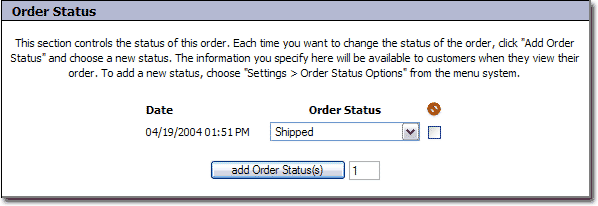
Order Status
- This field controls the status of the order. For more information, see the "Changing Status" topic in this section.