|
Backing up Your Database
|   |
|
Backing up Your Database
| |
The procedures below are for Squirrelcart v1.5.0 and newer. If you have a version of Squirrelcart prior to 1.5.0, see the documentation that came with it (in the "squirrelcart/docs" folder).
1. Open backup utility
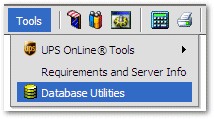
Click "Tools > Database Utilities" from the admin interface toolbar.
2. Create Backup File
Click "Create Backup File"
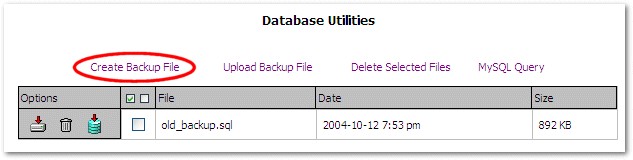
Enter a name for the backup file.
If you want the backup file to be able to overwrite existing database tables, check the "Add drop table" checkbox. It is a good idea to check this option if you need the ability to do a full restore from this backup file at a later date.
Click  to create the backup file. The results should look similar to this:
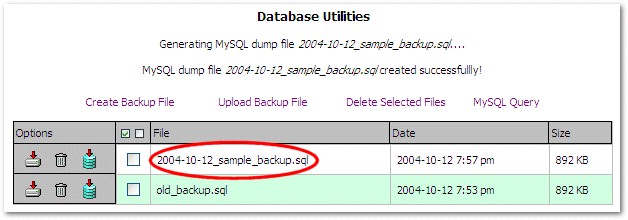
Notice that your backup file is now listed in the table.
3. Download Backup File
Squirrelcart uses the "sc_backup" folder on your website to store the backup files. For important backups, you should always download and keep a copy. To download a backup, click the  button next to the backup file you want to download.